
Wagilo business app
Records and incidents
Find a saved record
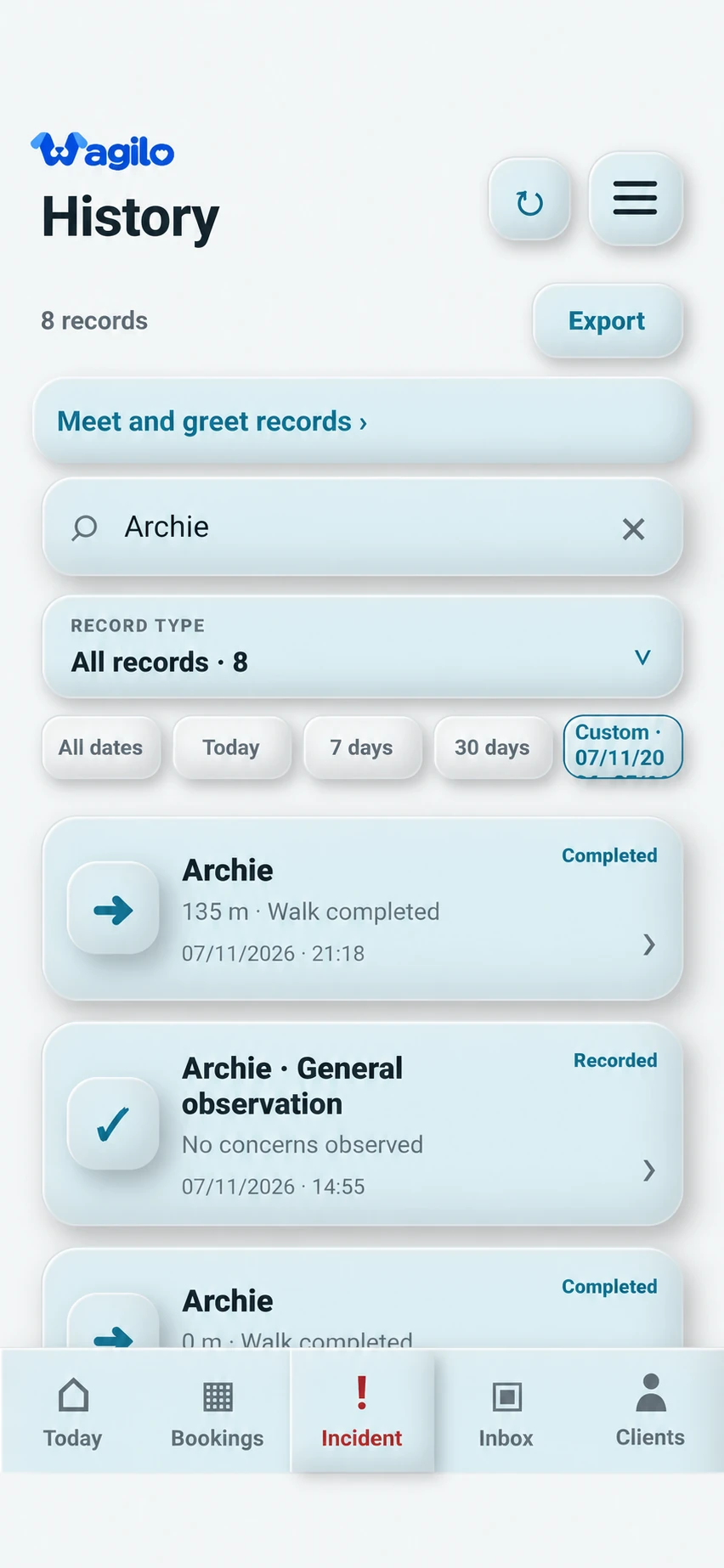
Open Menu → History & records when you need to look back at a walk, stay, visit, care entry or incident. Search by the available details and use record type and date filters to narrow it down. A dog’s own actions can also open its care history.
For example, if an owner asks about a particular day, filter to that dog and date instead of scrolling through everyone’s records. Open the entry to see the saved details, notes and any available photographs or route. If you can’t find it, check the filters before assuming it is missing.
Correct a care record
Open the record and use Edit record where available. Check the times and details, then choose Save changes. Different record types expose different fields, so use the editor for the record you want to correct.
For structured observations, follow the correction instructions shown in the app. Their evidence answers are separate from the record’s time. A corrected walk distance also changes the saved figure without redrawing the GPS route.
Deleting a record removes it and synchronises that deletion to other devices. If you’ve stopped caring for a dog but want to keep the history, archive the dog instead.
Record and finish an incident
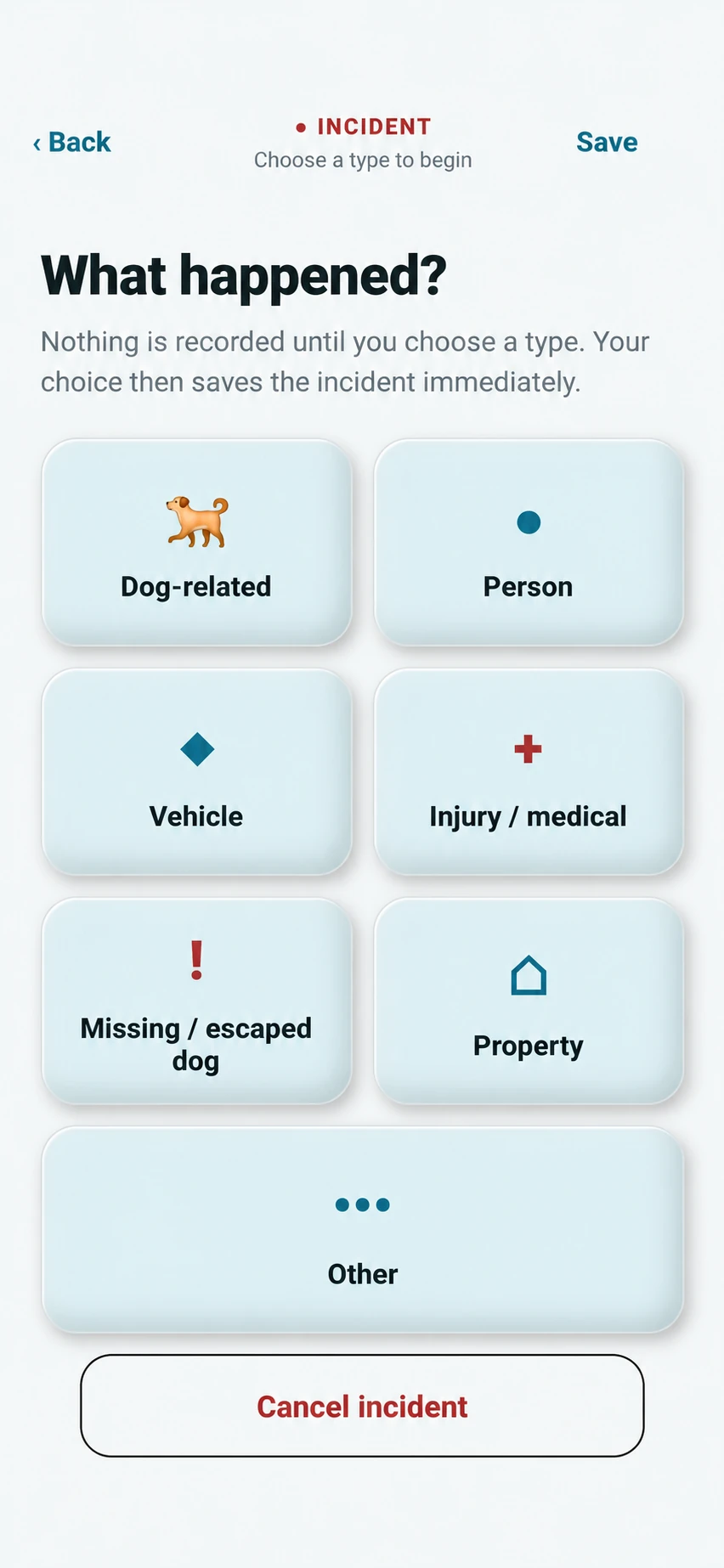
Use Record incident from the relevant dog or walk action, choose the category and type, and check the dogs involved. Add suitable photographs and continue to the report details.
Record what happened, any injuries or medical concerns, witnesses, actions taken, whether the owner was notified and the follow-up needed. Keeping these together gives you a record to refer to when completing follow-up actions or answering a later question. Choose Mark report complete when finished.
If you need to attend to the situation first, use Done for now or Save and finish later. The saved incident keeps a completion reminder so you can return to it. Saving the report doesn’t send it to the owner; publishing an owner update is separate.
For a serious incident, contact the owner directly by phone and follow up through your usual contact method if needed. The Owner notified answer records contact you have made. Saving an incident or publishing an app update does not make that contact for you.
Documents and care plans
You’ll find vaccination and consent records under the dog’s Documents. Use Update / renew for a new version so earlier information remains available in its history.
A care plan holds the tasks you scheduled; History holds their recorded outcomes. Use Clients and dogs to set up documents, medication and routines, then Today to record the care. You can return to the resulting history without re-entering those details.
Export records
Choose Export in History, check the report options and date range, then finish saving or sharing in the destination you choose. Open the resulting file to check it arrived as expected.
This gives you a copy of the relevant care information without writing it out again. For invoices, expenses and reviewed mileage, use the separate accountant export in Finance.